Skip to content
DinDjin

Expense tracking for spreadsheet lovers

Your expense spreadsheet, without the formulas.

Register your costs once, pick what goes into each month and let DinDjin add it all up: credit cards, installments, the month's balance and carried-over cash.

No sign-up for the demo · 14-day free trial · Cancel anytime

app.dindjin.com
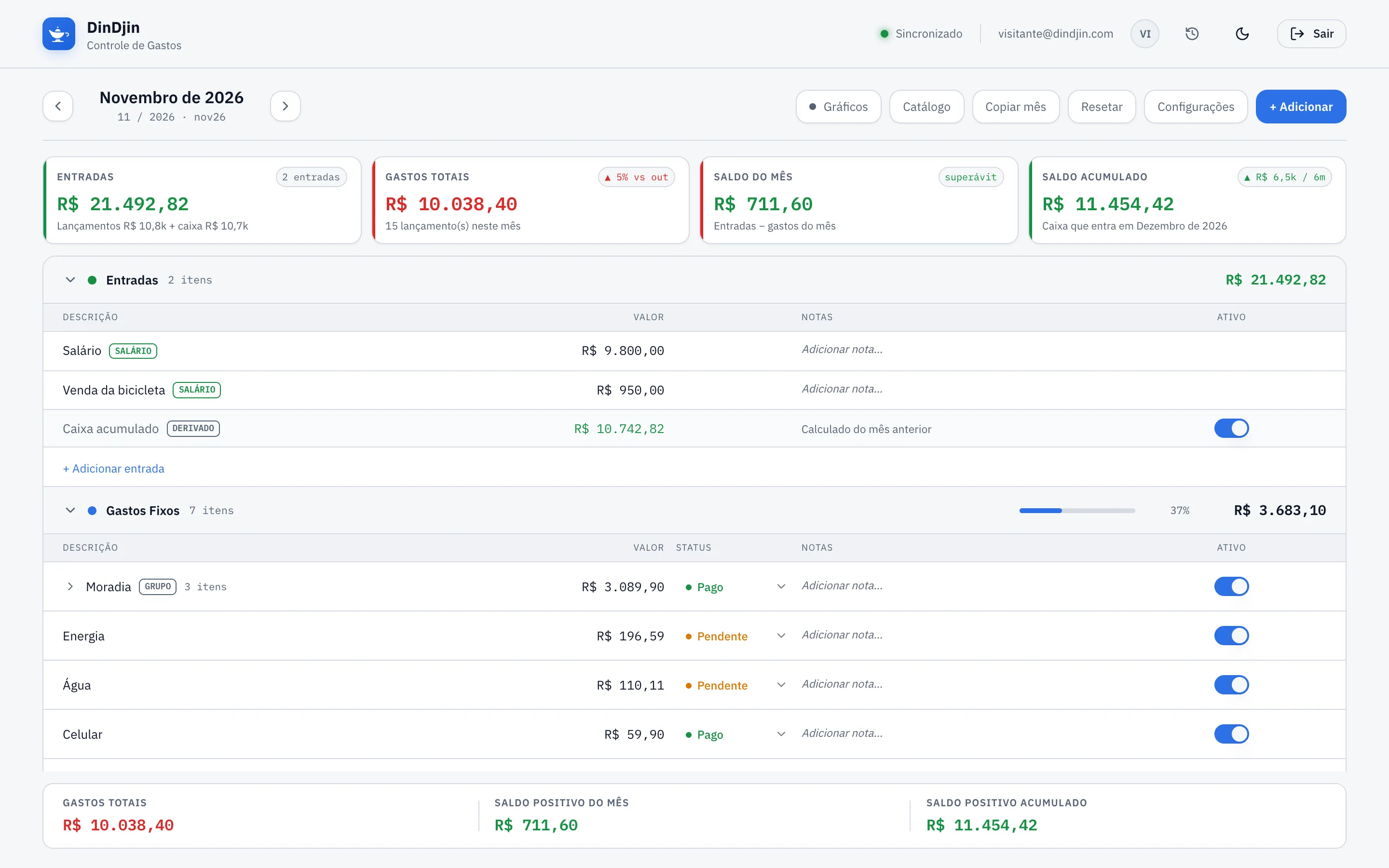
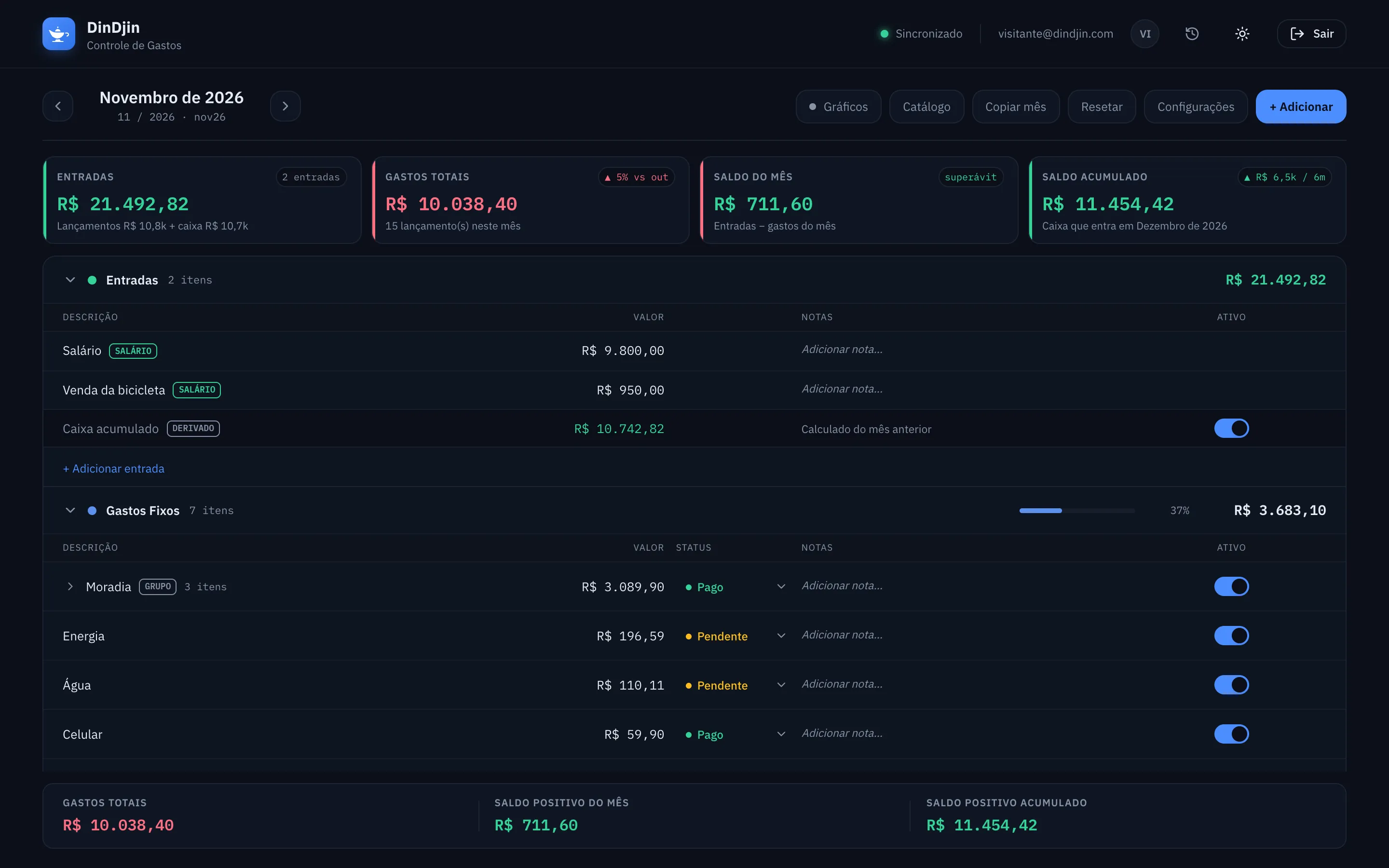
DinDjin month view in the light theme

The problem

Spreadsheets are great. Until a formula breaks.

Features

Everything the spreadsheet did. And what it never could.

Month by month

The spreadsheet you know, without a single formula.

Income, fixed costs, credit cards, the month's expenses and investments, in the same sections as the spreadsheet you already use. Totals, the month's balance and carried-over cash recalculate on every change.

  • Accumulated cash that carries from month to month
  • Paid or pending status on every line
  • Opens on the oldest month with an unpaid bill
app.dindjin.com
DinDjin month sheet with income, fixed costs and totals

Cards and installments

Installments that count themselves.

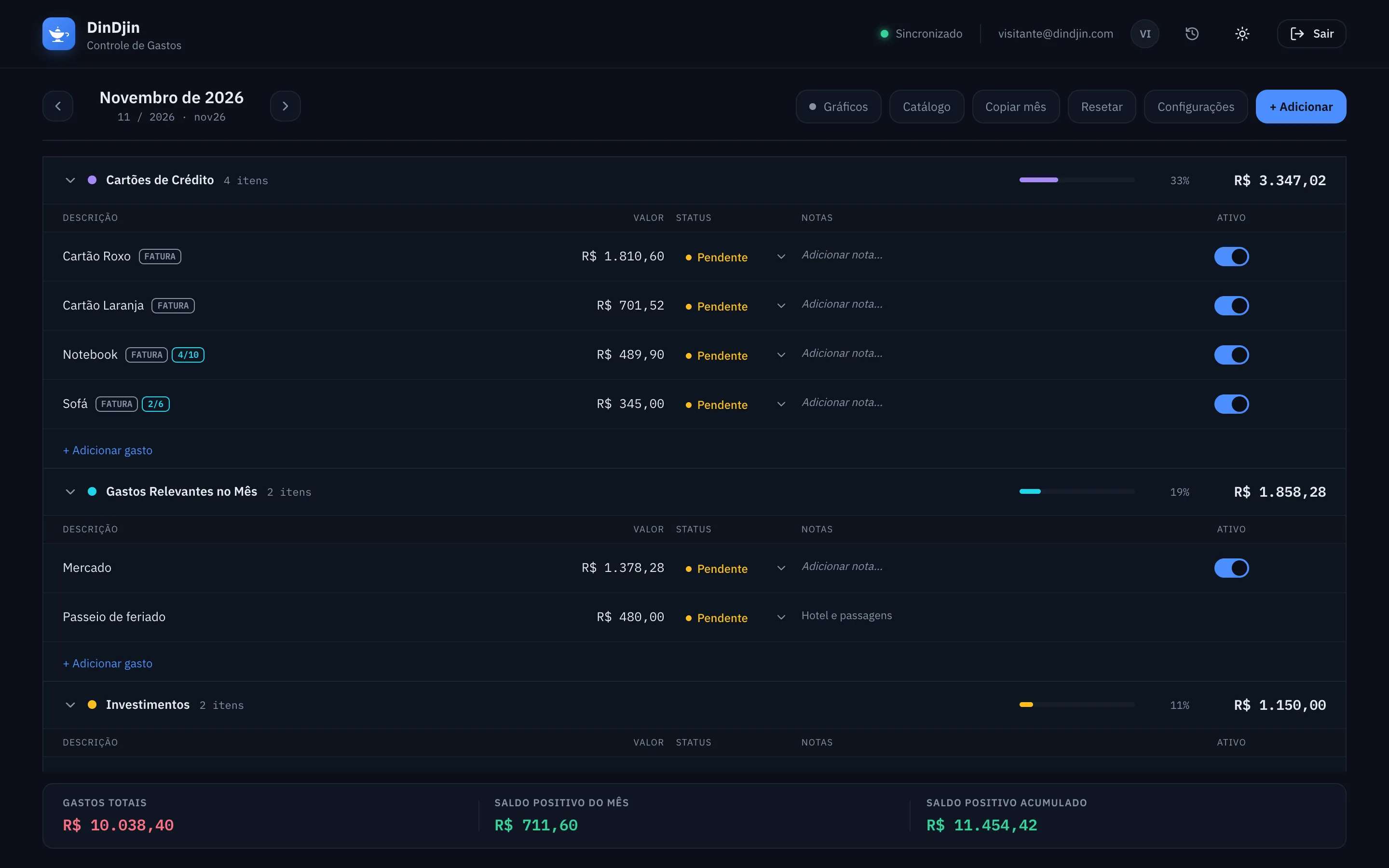
Type “Notebook (4/10)” once and DinDjin does the rest: the installment moves forward every month and disappears when it's done. Charges billed to a card show as a reference, without counting twice.

  • Automatic installment counter
  • Several installment plans grouped in one line
  • Future debt added up for you
app.dindjin.com
Credit card section with bills and installments 4/10 and 2/6

Charts

Where your money goes, at a glance.

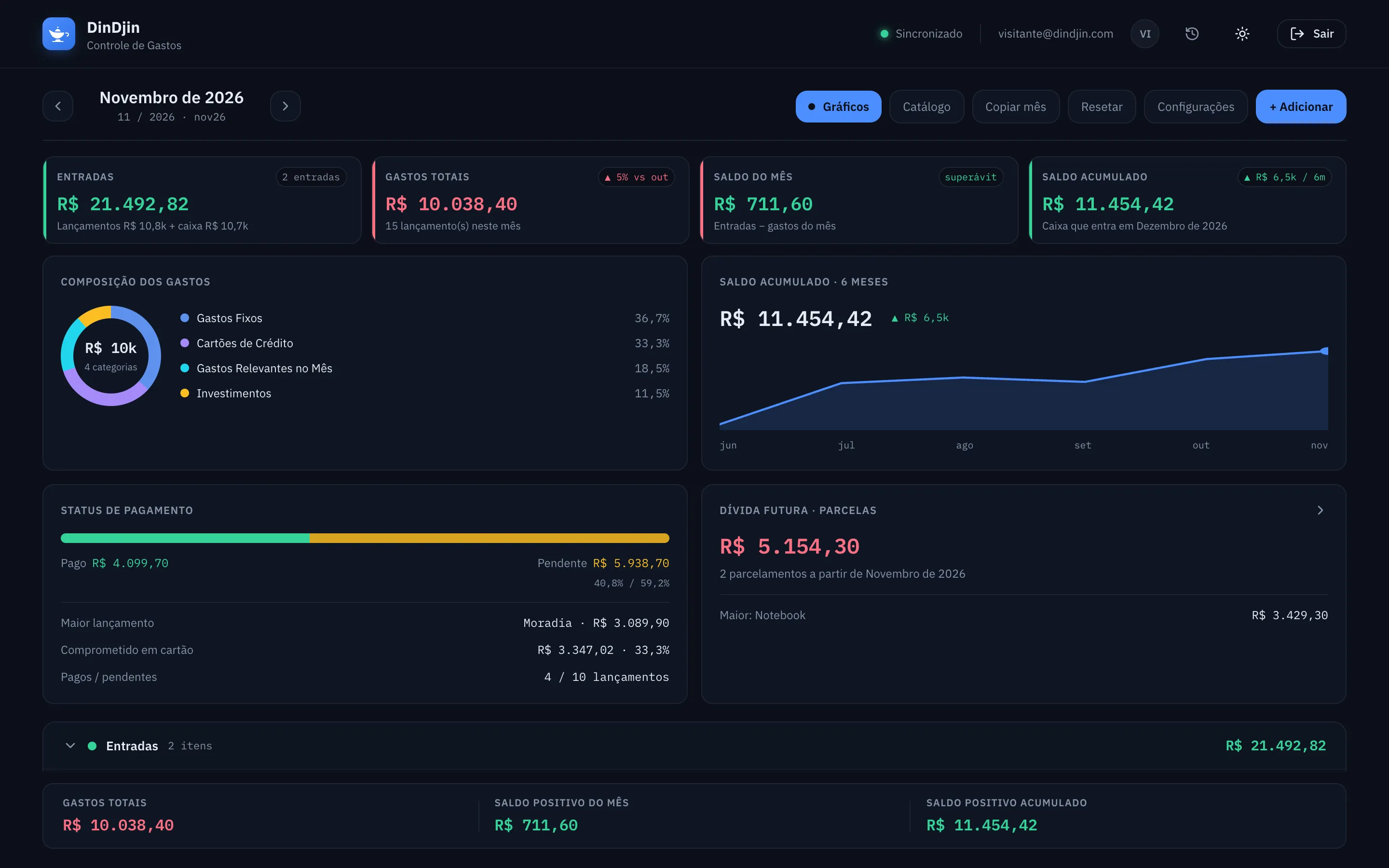
Spending breakdown, balance over the last six months, how much is paid and how much is left, and the total committed to installments.

  • Comparison with the previous month
  • The month's largest expense
  • How much of the month is on the card
app.dindjin.com
Charts panel with spending breakdown and six-month accumulated balance

Catalog

Register once. Use it every month.

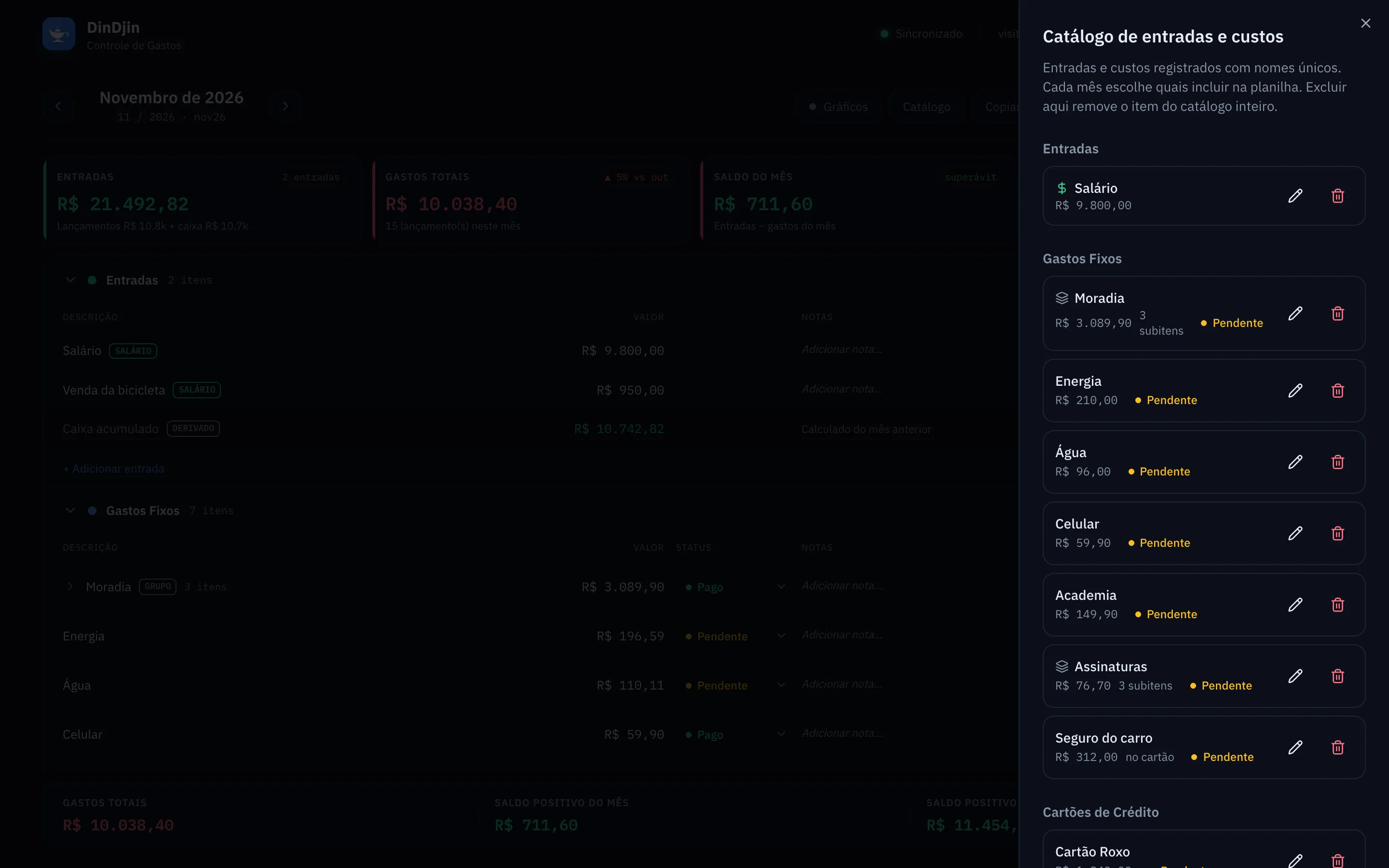
Each cost has a unique name in the catalog. Each month you pick what goes in, or copy the previous month in one click. Housing with rent, condo fees and internet becomes one group with sub-items.

  • Copy the previous month
  • Groups with sub-items
  • Edit only this month, or this and the next ones
app.dindjin.com
DinDjin income and cost catalog

In your pocket

Wrote down the bill? It's already in the balance.

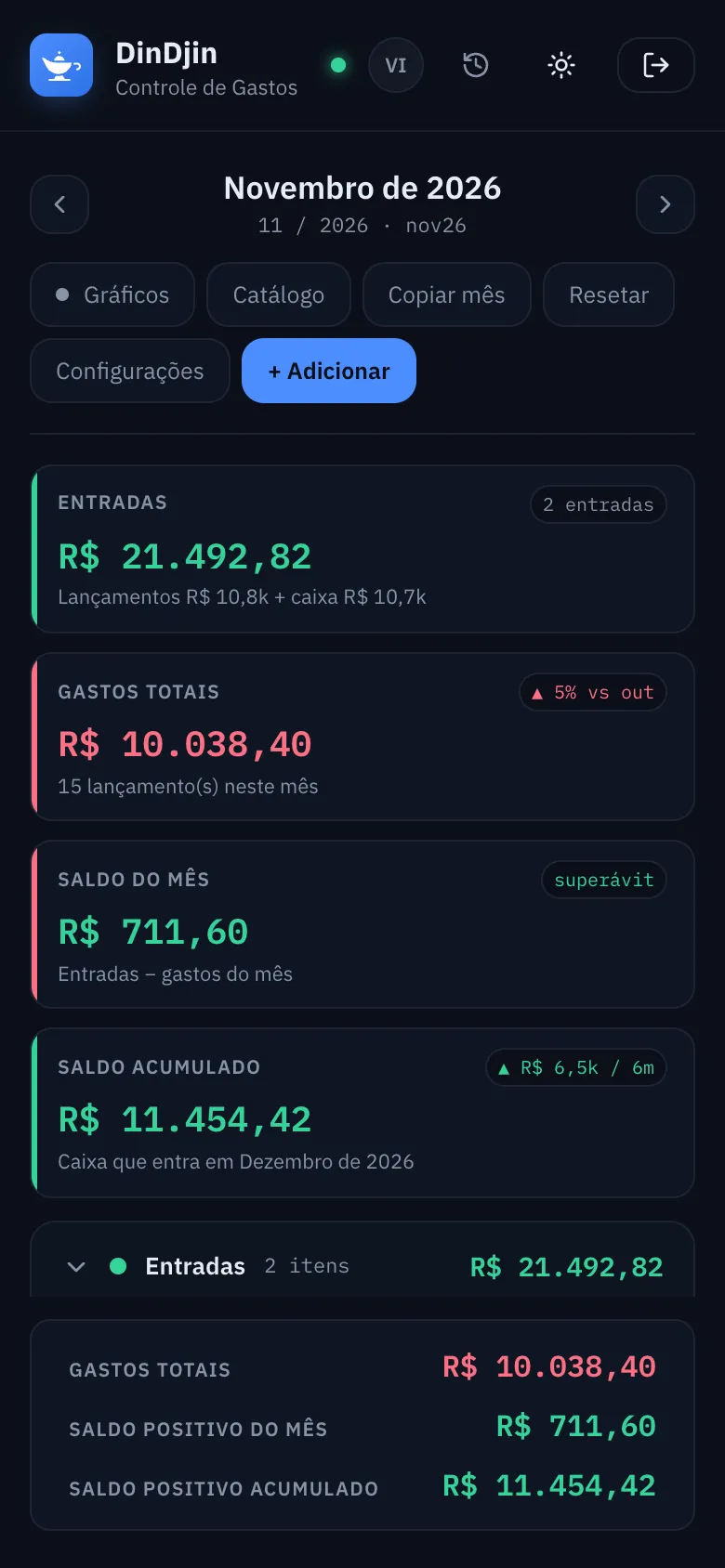
Install DinDjin on your phone's home screen. It syncs with your computer in seconds and opens even without internet.

AndroidiPhoneWindowsmacOS
DinDjin on a phone

Demo

Try it now, with sample data.

It's the real app. Change values, mark bills as paid, move between months. Nothing leaves your browser. The app itself is in Portuguese.

dindjin.com/demo

Prefer full screen? Open the demo in a new tab

Safety and peace of mind

Money is work enough. The app shouldn't be.

Pricing

Less than a coffee a month.

Every feature on every plan. Start with 14 days free.

Monthly

R$14.90/month

Cancel anytime

  • ✓Unlimited months, catalog and installments
  • ✓Charts and history
  • ✓Sync across devices
  • ✓Export to Excel and backups
Join the waitlist
Best value

Annual

R$119/year

Works out to R$ 9.92 a month. Two and a half months free.

  • ✓Unlimited months, catalog and installments
  • ✓Charts and history
  • ✓Sync across devices
  • ✓Export to Excel and backups
Join the waitlist

Prices in Brazilian reais. Paid by credit card. Full refund within 7 days of a charge.

FAQ

Frequently asked questions

Do I need to connect my bank account?+

No. DinDjin is for people who prefer to track spending themselves, like in a spreadsheet. No bank passwords, no Open Finance.

Does it work on my phone?+

Yes. DinDjin runs in the browser on phones, tablets and computers, and can be installed on the home screen like an app.

I already have a spreadsheet. Can I move over?+

DinDjin follows the same sections as an expense spreadsheet: income, fixed costs, credit cards, the month's expenses and investments. You register your costs once in the catalog and they show up in the following months.

How does the free trial work?+

You get everything for 14 days. If it's not for you, cancel before the trial ends and you pay nothing.

Can I cancel anytime?+

Yes, anytime, with no fee. You keep access until the end of the paid period and can export your data before leaving.

What if I change my mind?+

You have 7 days after a charge to ask for a full refund, as Brazilian consumer law provides. Just write to support.

Who makes DinDjin?+

DinDjin is made by ioctavis, a Brazilian software company from Belo Horizonte.

Close the spreadsheet. Open DinDjin.

See how it looks with your own numbers in a few minutes.